The Razer Blade 16 is The MacBook Pro of Gaming Laptops

The Razer Blade 16 is The MacBook Pro of Gaming Laptops

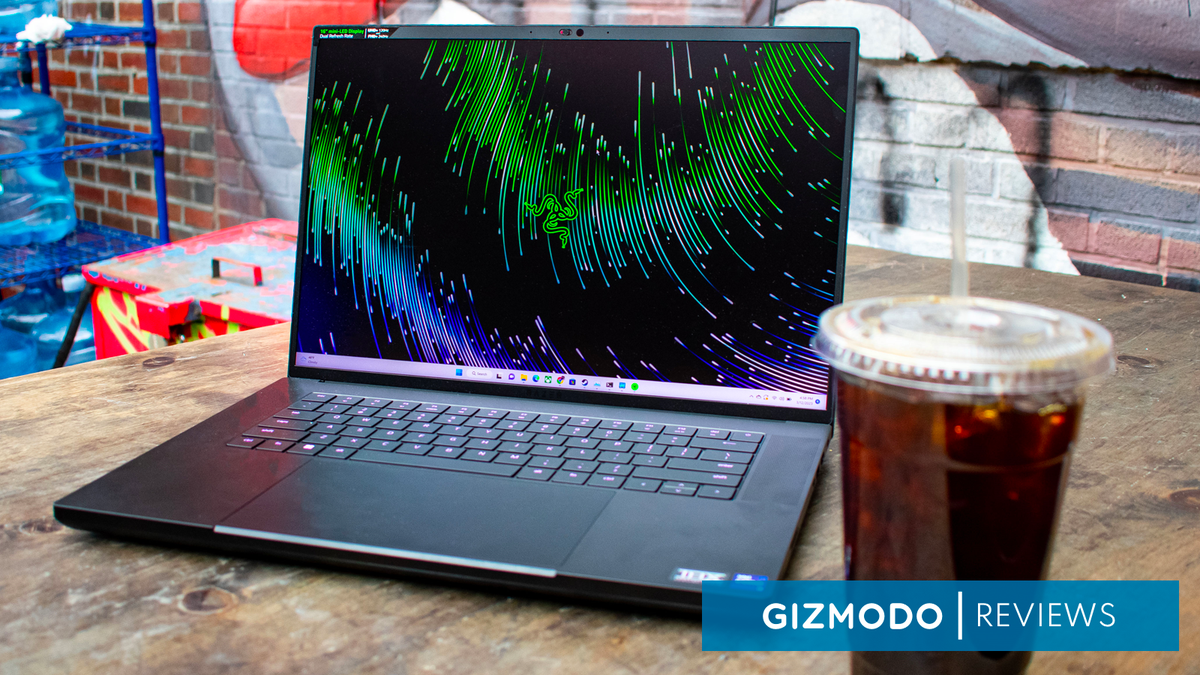
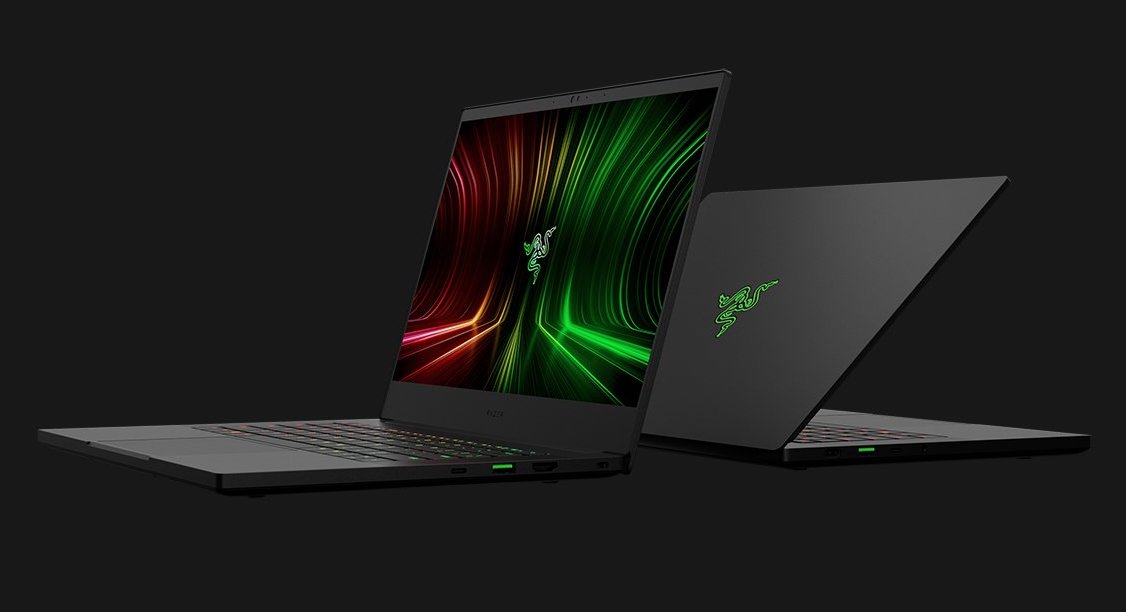
The Razer Blade 16 is finally here, following in the footsteps of Apple after the Cupertino company shifted its MacBook Pro design to a 16-inch model. This lets the high-end gaming laptop continue to claim the “MacBook of gaming laptops” title for another year, but even if Razer hadn’t upped the computer’s screen size, it would be a hard comparison to shake. Just like Apple’s high-end laptops, this is a gorgeous machine with an aluminum unibody design and a trackpad that’s way bigger than it needs to be.

But while Apple’s pro-level laptops are limited to what the M2 Pro and M2 Max can do, the Razer Blade 16 is equipped with the best processors and graphics cards from Intel and Nvidia, respectively. For the unit I got in for review, that means an Intel Core i9-13950HX and an Nvidia GeForce RTX 4090. But unlike something like the MSI Titan GT77 HX, the focus is on portability rather than raw power, so you’re not getting quite the same level of performance with the Razer Blade 16.

If you’re in the market for a portable gaming laptop that can easily handle most games at 4K without batting an eyelid, the Razer Blade 16 definitely gets the job done. And the bonus is that you won’t look like a gamer when you whip this laptop out at the coffee shop – aside from its copious RGB lighting, of course.

Razer still charges an Apple level premium

The Razer Blade 16 is an expensive gaming laptop. The Razer Blade in general has been one of the most expensive gaming laptops on the market for a long time, but the new model takes it to another level. This laptop starts at an eye-watering $2,699, and that model comes equipped with an Intel Core i9-13950HX and an Nvidia RTX 4060.

You can upgrade the laptop from there, though every single model comes with the same high-end processor. The price goes all the way up to $4,299, which will get you an RTX 4090, 32GB and two(!!) 1TB SSDs. That’s the model I got in for review, and I can confirm that it’s absolutely overkill for most people.

The happy middle-ground will probably be the model with 16GB of RAM and an RTX 4070, which clocks in at $2,999. That’s still an extremely expensive gaming laptop, but the display is really what you’re paying for here, and there’s nothing else on the market like it.

What’s funny is that even though Razer has had to put up with being compared with one of the most expensive laptops on the market for years now, its flagship Blade laptop is now more expensive to start than the MacBook Pro 16, which starts for $200 less at $2,499. So, maybe now the MacBook Pro is the Razer Blade of professional laptops.
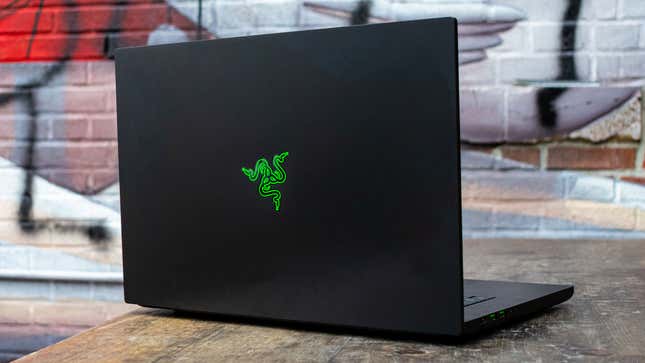
Razer Blade 16 from back

Photo: Jackie Thomas / Gizmodo

The Razer Blade 16 is prettier than most gaming laptops

The Razer Blade 16 is gorgeous. There’s no other way around that. Every single year that Razer puts out a new laptop, it improves upon the already fantastic design to make an even more luxurious gaming laptop, and the Blade 16 does exactly that again.

You’re getting the same aluminum unibody chassis, punctuated by more ports than anyone would expect out of a laptop of this size. You get three USB-A ports, an HDMI connection, 2 USB-C ports with Thunderbolt 4, an SD card reader and a dedicated charging port. This isn’t the thinnest laptop out there, but it’s still way thinner than a gaming laptop with these specs has any right to be, making the port selection more impressive than it would be on other gaming laptops.

The Razer Blade 16 measures in at just 0.87 inches thick, and weighs in at 5.4 pounds. That’s not quite ultrabook-level dimensions, but even after carrying this thing around in my backpack for weeks, I can attest that it feels pretty similar to a specced-out MacBook in my backpack. The only difference is that this can capably run The Witcher 3 after its next-gen update without any issues.

The only thing that really weighs it down from there (literally) is the huge power brick. That’s kind of a necessary evil with all the power-hungry components in this laptop, but if you’re carrying around the charger, it adds a few pounds to the weight. And, trust me, you’re going to be carrying around the charger if you’re going to be working on this thing for any extended period of time.

4K gaming at higher than 60 fps is no problem for the mobile RTX 4090

The mobile Nvidia GeForce RTX 4090 is an absolute beast of a graphics card. It doesn’t quite reach the same levels as the desktop version, of course, but this level of GPU performance in a laptop is a big deal.

There are going to be gaming laptops out there that outperform the Razer Blade 16 with a similar graphics card. The MSI Titan GT77, for instance, has much more space for cooling and runs the RTX 4090 at a higher wattage than the Razer Blade 16 does. So, if you’re after raw performance, you’re probably better off getting a bulkier gaming laptop.

But if you’re looking for something that balances portability with gaming performance, you’re in for a treat here. There isn’t a single game in the Gizmodo test suite that the Razer Blade 16 wasn’t able to run way above 60 fps, usually while also running at 4K. The lowest performance was in Metro Exodus, but even that managed 68 fps at 4K, and even when I enabled ray tracing without DLSS, it was able to get around 49 fps. Enable DLSS, and that number goes all the way up to 79 fps.
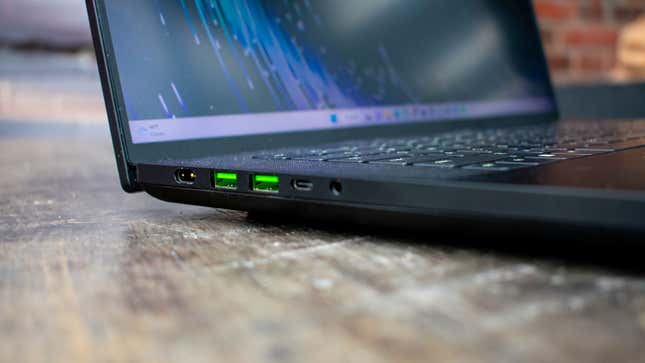
Razer Blade 16 left side ports

Photo: Jackie Thomas / Gizmodo

Far Cry 5 shows just how much of a 4K powerhouse this gaming laptop is, with the laptop managing 94 fps at the native resolution of 3,840 x 2,400. Even in games that aren’t part of our usual test suite, this is one of the gaming laptops to beat. I took the Razer Blade 16 with me to MagicCon Philly, and basically spent an evening playing the Witcher 3 next-gen update at 1600p. At that resolution, and with all the eye candy turned way up, I was able to get a solid 80 fps.

That’s less than the 2400p native resolution, but the Witcher 3 next-gen update is notoriously hard to run and I notoriously don’t compromise on visual quality for nothing. The Razer Blade 16 enables my bullshit pickiness with PC game graphics, and I love it for that.

The Razer Blade is still one of the best gaming laptops for productivity

Even beyond gaming performance, the Razer Blade 16 is a beast of a laptop. The laptop manages a Geekbench 5 score of 19,820 in multi-core and 1,975 in single-core. That’s less than the fully unlocked MSI Titan, but again, the cooling allows the MSI laptop to push the CPU harder than the Razer Blade 16.

In Blender, the Razer Blade 16 is able to push through the BMW demo in just 1 minute and 27 seconds, which actually beats out the Titan in the same test. It does fall behind the Titan in Handbrake, but not by much, processing the same video file in 2 minutes and 50 seconds, just 6 seconds slower than MSI’s flagship.

The sleek design of the Razer Blade 16 makes it less obnoxious in the office, and if you need a high-power workstation as a creative professional, I’d be hard pressed to find something more fitting for your needs – at least without forking over the cash for an actual professional workstation like .
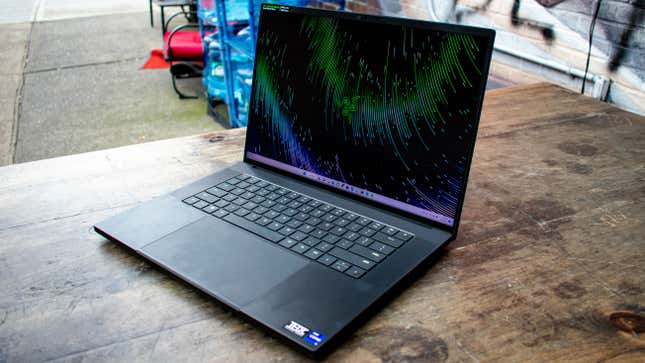
Razer Blade 16

Photo: Jackie Thomas / Gizmodo

The keyboard and trackpad are a weak link

The Razer Blade 16 has a fairly average chiclet keyboard, backed with some juicy RGB lighting. I was able to keep my unimpressive 89 WPM typing speed with no errors, so you don’t have to worry about repeat key presses or anything.

One thing that has come up in my time with the Razer Blade 15 is the large trackpad. It’s nice having a huge space for Windows 11 gestures as such, but the palm rejection really should be better for a trackpad that takes up so much of the chassis.

While working on this device, I’ve regularly accidentally triggered the touchpad, losing my place in documents or even clicking into an entirely different tab or window. You can get over this by using a gaming mouse and disabling the trackpad, but you really shouldn’t have to do that when you’re spending this much on a gaming laptop.

One of the Razer Blade 16’s biggest selling points, and probably a huge reason behind the high price, is the display. You’re getting a 16-inch mini-LED display with a ‘dual refresh rate.’ Basically what this means is that, at the native resolution of 3,840 x 2,400, you’re getting a 120Hz refresh rate. But if you lower the resolution to 1,920 x 1,200, you can up the refresh rate to 240Hz. This is great news for esports gamers that might want to use the laptop’s horsepower to drive high framerates in games like Valorant or Overwatch.

The only catch is that, to switch between these two modes, you can’t simply navigate to the Windows 11 Display Settings page and change the resolution there. Instead, you need to go into Razer Synapse, look under its display tab, and change the “Native Display Mode” to your desired resolution and refresh rate. Then, you need to restart the system.

It’s not the biggest deal in the world, but it would have been nice if you could have switched between the two resolutions on the fly when you’re playing different games. Maybe in a future release.

The display itself is gorgeous, however. The mini-LED technology that drives it allows for incredible color accuracy with some of the deepest blacks I’ve ever seen in a laptop display. It gets pretty bright, too, measuring in with a peak brightness of 473 nits. That’s not quite as high as something like the MacBook Pro, but it’s more than you’ll find on most gaming laptops.

If the luxe chassis design isn’t enough to sell you on the high price tag, the display might just be the thing that convinces you to drop thousands of dollars on the Razer Blade 16. Especially for creative professionals that’ll want the power of the RTX 4090 behind a display that can keep up with their Adobe needs.

The Razer Blade 16‘s speakers make gaming headphones optional

To test the audio, I pulled up “Heart & Feather” by Twin Tribes, and the Razer Blade 16 passed with flying colors. Unlike a lot of Windows laptops, the Razer Blade 16 has two giant speaker grilles on either side of the keyboard, each of which is equipped with a tweeter and a woofer.

It’s not going to be the same as a dedicated set of computer speakers or anything, don’t get me wrong. But it’s still more than enough for room-filling sound with actually audible bass. This means that even though the fan can get extremely loud under heavy load, you don’t need to break out a gaming headset just to play some games.

Even at max volume, there’s no hint of cracking or shaking, even in bass-heavy tracks. This is yet another way the Razer Blade just exudes luxury out of every pore.
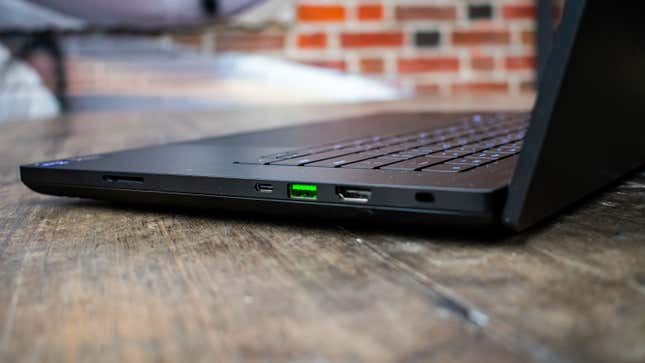
Razer Blade 16 right side ports

Photo: Jackie Thomas / Gizmodo

Less than 4 hours of battery life on video alone

The Razer Blade 16 is a gaming laptop, packed with the most powerful and power-hungry components on the market today, so from the get-go, the outlook for battery life isn’t great.

Don’t get me wrong, it’s not like the Razer Blade 16 is going to die after an hour of browsing Chrome. But at the same time, I wouldn’t trust it to get through a workday without packing the charger. In Gizmodo’s simple video playback battery test, where we stream a YouTube video at 200 nits, the Razer Blade 16 lasts just 3 hours and 43 minutes. That’s enough to get through most movies in one charge, so it’s not the end of the world.

But with so many laptops able to hit the 10 or 12 hour mark these days, the Razer Blade 16 simply isn’t the laptop to get if you’re looking for a device that will last through a long flight without having to break out a charger.

Unfortunately the charger is a bit of a chore to carry around, too. Because of the requirement for a 330W GAn charger, the power brick is huge and heavy. So, while the laptop itself weighs just over 5lb, if you’re going to be carrying it around with its power brick, the total weight comes in closer to 8lb. That’s not a deal breaker by any means, just something to be aware of if you plan on commuting with the thing.
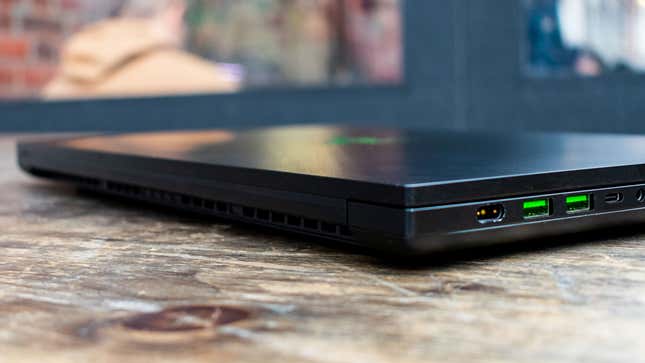
Razer Blade 16 with lid closed

Photo: Jackie Thomas / Gizmodo

The Razer Blade 16 is gorgeous, luxurious and powerful. That’s enough to get a lot of people on its side, but all of that comes with a dark side: the price. This is one of the most expensive gaming laptops on the market, even with its base configuration. You can absolutely get the same level of performance for less money elsewhere, and you probably should if all you care about is your raw frame rate in PC games.

But, like the MacBook Pro, if you want a nice looking product that you can carry around everywhere you go and not get awkward stares, the Razer Blade 16 is hard to beat. It’s a quality machine that will last you years before it starts to have trouble running the latest PC games. And the dual display mode means that even if you do have to shift down to 1080p in the distant future, you’re at least going to be getting a better refresh rate out of the deal.
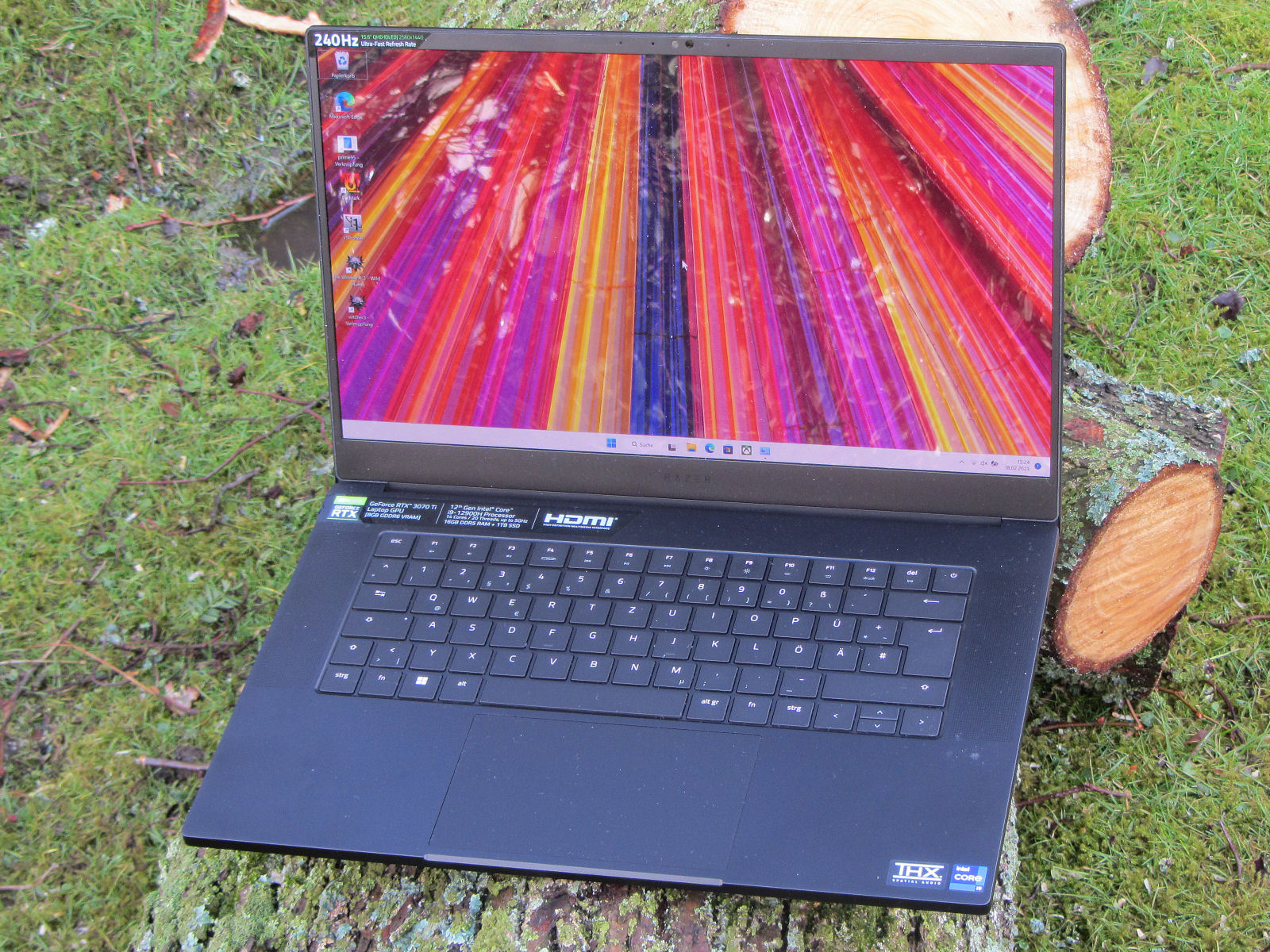
Razer Blade 15 OLED (early 2022) review: A compact gaming laptop with an RTX 3070 Ti

Razer Blade 15 OLED (early 2022) review: A compact gaming laptop with an RTX 3070 Ti
Schenker XMG Fusion 15 (Mid 22)
Samsung SSD 980 Pro 1TB MZ-V8P1T0BW


4199 (4194.93min – 4199.13max) MB/s ∼100{b7c9e2c88beb1a84f22d94ab877a147f4adc4b3519717f3f957a0f34e16918d1} +18{b7c9e2c88beb1a84f22d94ab877a147f4adc4b3519717f3f957a0f34e16918d1}

Razer Blade 15 2022
SSSTC CA6-8D1024


4119 (4098.66min – 4118.81max) MB/s ∼98{b7c9e2c88beb1a84f22d94ab877a147f4adc4b3519717f3f957a0f34e16918d1} +16{b7c9e2c88beb1a84f22d94ab877a147f4adc4b3519717f3f957a0f34e16918d1}

Aorus 15 XE5
Gigabyte AG470S1TB-SI B10


4117 (3552.16min – 4116.81max) MB/s ∼98{b7c9e2c88beb1a84f22d94ab877a147f4adc4b3519717f3f957a0f34e16918d1} +16{b7c9e2c88beb1a84f22d94ab877a147f4adc4b3519717f3f957a0f34e16918d1}

HP Omen 16-b1090ng
WDC PC SN810 1TB


3928 (3889.8min – 3927.66max) MB/s ∼94{b7c9e2c88beb1a84f22d94ab877a147f4adc4b3519717f3f957a0f34e16918d1} +10{b7c9e2c88beb1a84f22d94ab877a147f4adc4b3519717f3f957a0f34e16918d1}

Asus ROG Zephyrus M16 GU603Z
Micron 3400 1TB MTFDKBA1T0TFH


3764 (3540.2min – 3763.76max) MB/s ∼90{b7c9e2c88beb1a84f22d94ab877a147f4adc4b3519717f3f957a0f34e16918d1} +6{b7c9e2c88beb1a84f22d94ab877a147f4adc4b3519717f3f957a0f34e16918d1}

Average Samsung PM9A1 MZVL21T0HCLR
  (1761 – 4634, n=49) Razer Blade 15 OLED (Early 2022)
Samsung PM9A1 MZVL21T0HCLR


3564 (3515.46min – 3563.69max) MB/s ∼85{b7c9e2c88beb1a84f22d94ab877a147f4adc4b3519717f3f957a0f34e16918d1}

Average of class Gaming
  (834 – 5676, n=182, last 2 years) Asus ROG Zephyrus M16 GU603Z
Micron 3400 1TB MTFDKBA1T0TFH


4767 (4365.51min – 4766.62max) MB/s ∼100{b7c9e2c88beb1a84f22d94ab877a147f4adc4b3519717f3f957a0f34e16918d1} +35{b7c9e2c88beb1a84f22d94ab877a147f4adc4b3519717f3f957a0f34e16918d1}

Schenker XMG Fusion 15 (Mid 22)
Samsung SSD 980 Pro 1TB MZ-V8P1T0BW


4299 (4288.86min – 4298.95max) MB/s ∼90{b7c9e2c88beb1a84f22d94ab877a147f4adc4b3519717f3f957a0f34e16918d1} +22{b7c9e2c88beb1a84f22d94ab877a147f4adc4b3519717f3f957a0f34e16918d1}

Aorus 15 XE5
Gigabyte AG470S1TB-SI B10


4236 (3477.46min – 4236.46max) MB/s ∼89{b7c9e2c88beb1a84f22d94ab877a147f4adc4b3519717f3f957a0f34e16918d1} +20{b7c9e2c88beb1a84f22d94ab877a147f4adc4b3519717f3f957a0f34e16918d1}

Razer Blade 15 2022
SSSTC CA6-8D1024


4167 (4120.63min – 4166.62max) MB/s ∼87{b7c9e2c88beb1a84f22d94ab877a147f4adc4b3519717f3f957a0f34e16918d1} +18{b7c9e2c88beb1a84f22d94ab877a147f4adc4b3519717f3f957a0f34e16918d1}

HP Omen 16-b1090ng
WDC PC SN810 1TB


4033 (3953.13min – 4032.82max) MB/s ∼85{b7c9e2c88beb1a84f22d94ab877a147f4adc4b3519717f3f957a0f34e16918d1} +14{b7c9e2c88beb1a84f22d94ab877a147f4adc4b3519717f3f957a0f34e16918d1}

Average Samsung PM9A1 MZVL21T0HCLR
  (2226 – 4516, n=49) Razer Blade 15 OLED (Early 2022)
Samsung PM9A1 MZVL21T0HCLR


3531 (3391.93min – 3530.77max) MB/s ∼74{b7c9e2c88beb1a84f22d94ab877a147f4adc4b3519717f3f957a0f34e16918d1}

Average of class Gaming
  (399 – 7889, n=181, last 2 years) Aorus 15 XE5
Gigabyte AG470S1TB-SI B10


7020 (5888.98min – 7020.02max) MB/s ∼100{b7c9e2c88beb1a84f22d94ab877a147f4adc4b3519717f3f957a0f34e16918d1} +5{b7c9e2c88beb1a84f22d94ab877a147f4adc4b3519717f3f957a0f34e16918d1}

Razer Blade 15 2022
SSSTC CA6-8D1024


6921 (6631.14min – 6921.02max) MB/s ∼99{b7c9e2c88beb1a84f22d94ab877a147f4adc4b3519717f3f957a0f34e16918d1} +4{b7c9e2c88beb1a84f22d94ab877a147f4adc4b3519717f3f957a0f34e16918d1}

HP Omen 16-b1090ng
WDC PC SN810 1TB


6867 (6210.3min – 6866.91max) MB/s ∼98{b7c9e2c88beb1a84f22d94ab877a147f4adc4b3519717f3f957a0f34e16918d1} +3{b7c9e2c88beb1a84f22d94ab877a147f4adc4b3519717f3f957a0f34e16918d1}

Schenker XMG Fusion 15 (Mid 22)
Samsung SSD 980 Pro 1TB MZ-V8P1T0BW


6847 (6590.72min – 6846.78max) MB/s ∼98{b7c9e2c88beb1a84f22d94ab877a147f4adc4b3519717f3f957a0f34e16918d1} +3{b7c9e2c88beb1a84f22d94ab877a147f4adc4b3519717f3f957a0f34e16918d1}

Razer Blade 15 OLED (Early 2022)
Samsung PM9A1 MZVL21T0HCLR


6663 (6017.91min – 6663.07max) MB/s ∼95{b7c9e2c88beb1a84f22d94ab877a147f4adc4b3519717f3f957a0f34e16918d1}

Asus ROG Zephyrus M16 GU603Z
Micron 3400 1TB MTFDKBA1T0TFH


6550 (5497.59min – 6549.73max) MB/s ∼93{b7c9e2c88beb1a84f22d94ab877a147f4adc4b3519717f3f957a0f34e16918d1} -2{b7c9e2c88beb1a84f22d94ab877a147f4adc4b3519717f3f957a0f34e16918d1}

Average Samsung PM9A1 MZVL21T0HCLR
  (3421 – 7061, n=49) Average of class Gaming
  (1620 – 13195, n=182, last 2 years) HP Omen 16-b1090ng
WDC PC SN810 1TB


5412 (5265.32min – 5411.99max) MB/s ∼100{b7c9e2c88beb1a84f22d94ab877a147f4adc4b3519717f3f957a0f34e16918d1} +9{b7c9e2c88beb1a84f22d94ab877a147f4adc4b3519717f3f957a0f34e16918d1}

Schenker XMG Fusion 15 (Mid 22)
Samsung SSD 980 Pro 1TB MZ-V8P1T0BW


4999 (4982.73min – 4998.98max) MB/s ∼92{b7c9e2c88beb1a84f22d94ab877a147f4adc4b3519717f3f957a0f34e16918d1} 0{b7c9e2c88beb1a84f22d94ab877a147f4adc4b3519717f3f957a0f34e16918d1}

Razer Blade 15 OLED (Early 2022)
Samsung PM9A1 MZVL21T0HCLR


4980 (4904.66min – 4979.58max) MB/s ∼92{b7c9e2c88beb1a84f22d94ab877a147f4adc4b3519717f3f957a0f34e16918d1}

Asus ROG Zephyrus M16 GU603Z
Micron 3400 1TB MTFDKBA1T0TFH


4876 (4374.87min – 4876.3max) MB/s ∼90{b7c9e2c88beb1a84f22d94ab877a147f4adc4b3519717f3f957a0f34e16918d1} -2{b7c9e2c88beb1a84f22d94ab877a147f4adc4b3519717f3f957a0f34e16918d1}

Average Samsung PM9A1 MZVL21T0HCLR
  (2226 – 5259, n=49) Razer Blade 15 2022
SSSTC CA6-8D1024


4740 (4542.15min – 4740.19max) MB/s ∼88{b7c9e2c88beb1a84f22d94ab877a147f4adc4b3519717f3f957a0f34e16918d1} -5{b7c9e2c88beb1a84f22d94ab877a147f4adc4b3519717f3f957a0f34e16918d1}

Aorus 15 XE5
Gigabyte AG470S1TB-SI B10


4421 (4173.33min – 4420.8max) MB/s ∼82{b7c9e2c88beb1a84f22d94ab877a147f4adc4b3519717f3f957a0f34e16918d1} -11{b7c9e2c88beb1a84f22d94ab877a147f4adc4b3519717f3f957a0f34e16918d1}

Average of class Gaming
  (86.2 – 10261, n=182, last 2 years) Razer Blade 15 OLED (Early 2022)
Samsung PM9A1 MZVL21T0HCLR


81.2 (79.58min – 81.23max) MB/s ∼100{b7c9e2c88beb1a84f22d94ab877a147f4adc4b3519717f3f957a0f34e16918d1}

Aorus 15 XE5
Gigabyte AG470S1TB-SI B10


80.6 (67.84min – 80.61max) MB/s ∼99{b7c9e2c88beb1a84f22d94ab877a147f4adc4b3519717f3f957a0f34e16918d1} -1{b7c9e2c88beb1a84f22d94ab877a147f4adc4b3519717f3f957a0f34e16918d1}

Razer Blade 15 2022
SSSTC CA6-8D1024


79.6 (78.85min – 79.63max) MB/s ∼98{b7c9e2c88beb1a84f22d94ab877a147f4adc4b3519717f3f957a0f34e16918d1} -2{b7c9e2c88beb1a84f22d94ab877a147f4adc4b3519717f3f957a0f34e16918d1}

Schenker XMG Fusion 15 (Mid 22)
Samsung SSD 980 Pro 1TB MZ-V8P1T0BW


77.9 (77.66min – 77.9max) MB/s ∼96{b7c9e2c88beb1a84f22d94ab877a147f4adc4b3519717f3f957a0f34e16918d1} -4{b7c9e2c88beb1a84f22d94ab877a147f4adc4b3519717f3f957a0f34e16918d1}

Average Samsung PM9A1 MZVL21T0HCLR
  (48.7 – 97.4, n=49) HP Omen 16-b1090ng
WDC PC SN810 1TB


77.1 (76.91min – 77.11max) MB/s ∼95{b7c9e2c88beb1a84f22d94ab877a147f4adc4b3519717f3f957a0f34e16918d1} -5{b7c9e2c88beb1a84f22d94ab877a147f4adc4b3519717f3f957a0f34e16918d1}

Asus ROG Zephyrus M16 GU603Z
Micron 3400 1TB MTFDKBA1T0TFH


74.3 (71.59min – 74.33max) MB/s ∼92{b7c9e2c88beb1a84f22d94ab877a147f4adc4b3519717f3f957a0f34e16918d1} -8{b7c9e2c88beb1a84f22d94ab877a147f4adc4b3519717f3f957a0f34e16918d1}

Average of class Gaming
  (23.3 – 97.4, n=182, last 2 years) Aorus 15 XE5
Gigabyte AG470S1TB-SI B10


333 (331.94min – 333.25max) MB/s ∼100{b7c9e2c88beb1a84f22d94ab877a147f4adc4b3519717f3f957a0f34e16918d1} +57{b7c9e2c88beb1a84f22d94ab877a147f4adc4b3519717f3f957a0f34e16918d1}

Asus ROG Zephyrus M16 GU603Z
Micron 3400 1TB MTFDKBA1T0TFH


264 (263.57min – 264.44max) MB/s ∼79{b7c9e2c88beb1a84f22d94ab877a147f4adc4b3519717f3f957a0f34e16918d1} +25{b7c9e2c88beb1a84f22d94ab877a147f4adc4b3519717f3f957a0f34e16918d1}

Razer Blade 15 2022
SSSTC CA6-8D1024


256 (23.49min – 256.28max) MB/s ∼77{b7c9e2c88beb1a84f22d94ab877a147f4adc4b3519717f3f957a0f34e16918d1} +21{b7c9e2c88beb1a84f22d94ab877a147f4adc4b3519717f3f957a0f34e16918d1}

Schenker XMG Fusion 15 (Mid 22)
Samsung SSD 980 Pro 1TB MZ-V8P1T0BW


239 (238.19min – 238.82max) MB/s ∼72{b7c9e2c88beb1a84f22d94ab877a147f4adc4b3519717f3f957a0f34e16918d1} +13{b7c9e2c88beb1a84f22d94ab877a147f4adc4b3519717f3f957a0f34e16918d1}

Razer Blade 15 OLED (Early 2022)
Samsung PM9A1 MZVL21T0HCLR


212 (209.62min – 211.78max) MB/s ∼64{b7c9e2c88beb1a84f22d94ab877a147f4adc4b3519717f3f957a0f34e16918d1}

HP Omen 16-b1090ng
WDC PC SN810 1TB


205 (195.73min – 204.56max) MB/s ∼62{b7c9e2c88beb1a84f22d94ab877a147f4adc4b3519717f3f957a0f34e16918d1} -3{b7c9e2c88beb1a84f22d94ab877a147f4adc4b3519717f3f957a0f34e16918d1}

Average of class Gaming
  (66.6 – 421, n=181, last 2 years) Average Samsung PM9A1 MZVL21T0HCLR
  (49.9 – 275, n=49) Schenker XMG Fusion 15 (Mid 22)
Samsung SSD 980 Pro 1TB MZ-V8P1T0BW


4309 (4179.96min – 4309.38max) MB/s ∼100{b7c9e2c88beb1a84f22d94ab877a147f4adc4b3519717f3f957a0f34e16918d1} +4{b7c9e2c88beb1a84f22d94ab877a147f4adc4b3519717f3f957a0f34e16918d1}

Razer Blade 15 OLED (Early 2022)
Samsung PM9A1 MZVL21T0HCLR


4152 (4133.05min – 4152.1max) MB/s ∼96{b7c9e2c88beb1a84f22d94ab877a147f4adc4b3519717f3f957a0f34e16918d1}

Aorus 15 XE5
Gigabyte AG470S1TB-SI B10


3566 (3562.85min – 3566.11max) MB/s ∼83{b7c9e2c88beb1a84f22d94ab877a147f4adc4b3519717f3f957a0f34e16918d1} -14{b7c9e2c88beb1a84f22d94ab877a147f4adc4b3519717f3f957a0f34e16918d1}

Razer Blade 15 2022
SSSTC CA6-8D1024


3184 (3180.75min – 3183.86max) MB/s ∼74{b7c9e2c88beb1a84f22d94ab877a147f4adc4b3519717f3f957a0f34e16918d1} -23{b7c9e2c88beb1a84f22d94ab877a147f4adc4b3519717f3f957a0f34e16918d1}

Asus ROG Zephyrus M16 GU603Z
Micron 3400 1TB MTFDKBA1T0TFH


2855 (2482.75min – 2854.87max) MB/s ∼66{b7c9e2c88beb1a84f22d94ab877a147f4adc4b3519717f3f957a0f34e16918d1} -31{b7c9e2c88beb1a84f22d94ab877a147f4adc4b3519717f3f957a0f34e16918d1}

Average Samsung PM9A1 MZVL21T0HCLR
  (376 – 4185, n=49) Average of class Gaming
  (310 – 5829, n=181, last 2 years) HP Omen 16-b1090ng
WDC PC SN810 1TB


1528 (1477.56min – 1527.59max) MB/s ∼35{b7c9e2c88beb1a84f22d94ab877a147f4adc4b3519717f3f957a0f34e16918d1} -63{b7c9e2c88beb1a84f22d94ab877a147f4adc4b3519717f3f957a0f34e16918d1}

Aorus 15 XE5
Gigabyte AG470S1TB-SI B10


3600 (3594.9min – 3599.81max) MB/s ∼100{b7c9e2c88beb1a84f22d94ab877a147f4adc4b3519717f3f957a0f34e16918d1} +3{b7c9e2c88beb1a84f22d94ab877a147f4adc4b3519717f3f957a0f34e16918d1}

Razer Blade 15 OLED (Early 2022)
Samsung PM9A1 MZVL21T0HCLR


3512 (3421.77min – 3511.78max) MB/s ∼98{b7c9e2c88beb1a84f22d94ab877a147f4adc4b3519717f3f957a0f34e16918d1}

Schenker XMG Fusion 15 (Mid 22)
Samsung SSD 980 Pro 1TB MZ-V8P1T0BW


3435 (2876.62min – 3435.27max) MB/s ∼95{b7c9e2c88beb1a84f22d94ab877a147f4adc4b3519717f3f957a0f34e16918d1} -2{b7c9e2c88beb1a84f22d94ab877a147f4adc4b3519717f3f957a0f34e16918d1}

Asus ROG Zephyrus M16 GU603Z
Micron 3400 1TB MTFDKBA1T0TFH


2694 (2561.51min – 2693.92max) MB/s ∼75{b7c9e2c88beb1a84f22d94ab877a147f4adc4b3519717f3f957a0f34e16918d1} -23{b7c9e2c88beb1a84f22d94ab877a147f4adc4b3519717f3f957a0f34e16918d1}

Razer Blade 15 2022
SSSTC CA6-8D1024


2141 (2137.08min – 2141.26max) MB/s ∼59{b7c9e2c88beb1a84f22d94ab877a147f4adc4b3519717f3f957a0f34e16918d1} -39{b7c9e2c88beb1a84f22d94ab877a147f4adc4b3519717f3f957a0f34e16918d1}

Average of class Gaming
  (288 – 4383, n=181, last 2 years) Average Samsung PM9A1 MZVL21T0HCLR
  (291 – 3559, n=49) HP Omen 16-b1090ng
WDC PC SN810 1TB


585 (555.77min – 584.61max) MB/s ∼16{b7c9e2c88beb1a84f22d94ab877a147f4adc4b3519717f3f957a0f34e16918d1} -83{b7c9e2c88beb1a84f22d94ab877a147f4adc4b3519717f3f957a0f34e16918d1}

Aorus 15 XE5
Gigabyte AG470S1TB-SI B10 Schenker XMG Fusion 15 (Mid 22)
Samsung SSD 980 Pro 1TB MZ-V8P1T0BW Razer Blade 15 2022
SSSTC CA6-8D1024 Razer Blade 15 OLED (Early 2022)
Samsung PM9A1 MZVL21T0HCLR Asus ROG Zephyrus M16 GU603Z
Micron 3400 1TB MTFDKBA1T0TFH Average Samsung PM9A1 MZVL21T0HCLR
  (2577 – 9147, n=50) Average of class Gaming
  (910 – 10330, n=171, last 2 years) HP Omen 16-b1090ng
WDC PC SN810 1TB Aorus 15 XE5
Gigabyte AG470S1TB-SI B10 Razer Blade 15 2022
SSSTC CA6-8D1024 Schenker XMG Fusion 15 (Mid 22)
Samsung SSD 980 Pro 1TB MZ-V8P1T0BW Razer Blade 15 OLED (Early 2022)
Samsung PM9A1 MZVL21T0HCLR Asus ROG Zephyrus M16 GU603Z
Micron 3400 1TB MTFDKBA1T0TFH Average Samsung PM9A1 MZVL21T0HCLR
  (983 – 3469, n=50) Average of class Gaming
  (389 – 3629, n=171, last 2 years) HP Omen 16-b1090ng
WDC PC SN810 1TB Aorus 15 XE5
Gigabyte AG470S1TB-SI B10 Schenker XMG Fusion 15 (Mid 22)
Samsung SSD 980 Pro 1TB MZ-V8P1T0BW Average Samsung PM9A1 MZVL21T0HCLR
  (921 – 4043, n=50) HP Omen 16-b1090ng
WDC PC SN810 1TB Asus ROG Zephyrus M16 GU603Z
Micron 3400 1TB MTFDKBA1T0TFH Razer Blade 15 OLED (Early 2022)
Samsung PM9A1 MZVL21T0HCLR Average of class Gaming
  (338 – 5157, n=171, last 2 years) Razer Blade 15 2022
SSSTC CA6-8D1024 Razer Blade 15 2022
SSSTC CA6-8D1024 Aorus 15 XE5
Gigabyte AG470S1TB-SI B10 HP Omen 16-b1090ng
WDC PC SN810 1TB Schenker XMG Fusion 15 (Mid 22)
Samsung SSD 980 Pro 1TB MZ-V8P1T0BW Average Samsung PM9A1 MZVL21T0HCLR
  (2834 – 5588, n=50) Razer Blade 15 OLED (Early 2022)
Samsung PM9A1 MZVL21T0HCLR Average of class Gaming
  (925 – 9971, n=171, last 2 years) Asus ROG Zephyrus M16 GU603Z
Micron 3400 1TB MTFDKBA1T0TFH Asus ROG Zephyrus M16 GU603Z
Micron 3400 1TB MTFDKBA1T0TFH Razer Blade 15 2022
SSSTC CA6-8D1024 Schenker XMG Fusion 15 (Mid 22)
Samsung SSD 980 Pro 1TB MZ-V8P1T0BW Razer Blade 15 OLED (Early 2022)
Samsung PM9A1 MZVL21T0HCLR Aorus 15 XE5
Gigabyte AG470S1TB-SI B10 Average Samsung PM9A1 MZVL21T0HCLR
  (1617 – 4477, n=50) Average of class Gaming
  (308 – 8590, n=171, last 2 years) HP Omen 16-b1090ng
WDC PC SN810 1TB Aorus 15 XE5
Gigabyte AG470S1TB-SI B10 HP Omen 16-b1090ng
WDC PC SN810 1TB Average Samsung PM9A1 MZVL21T0HCLR
  (45.9 – 88.1, n=50) Razer Blade 15 2022
SSSTC CA6-8D1024 Schenker XMG Fusion 15 (Mid 22)
Samsung SSD 980 Pro 1TB MZ-V8P1T0BW Average of class Gaming
  (20 – 108, n=171, last 2 years) Razer Blade 15 OLED (Early 2022)
Samsung PM9A1 MZVL21T0HCLR Asus ROG Zephyrus M16 GU603Z
Micron 3400 1TB MTFDKBA1T0TFH Aorus 15 XE5
Gigabyte AG470S1TB-SI B10 HP Omen 16-b1090ng
WDC PC SN810 1TB Razer Blade 15 2022
SSSTC CA6-8D1024 Asus ROG Zephyrus M16 GU603Z
Micron 3400 1TB MTFDKBA1T0TFH Schenker XMG Fusion 15 (Mid 22)
Samsung SSD 980 Pro 1TB MZ-V8P1T0BW Average Samsung PM9A1 MZVL21T0HCLR
  (118.6 – 241, n=50) Razer Blade 15 OLED (Early 2022)
Samsung PM9A1 MZVL21T0HCLR Average of class Gaming
  (18 – 364, n=171, last 2 years) Aorus 15 XE5
Gigabyte AG470S1TB-SI B10


2909.44 MB/s ∼100{b7c9e2c88beb1a84f22d94ab877a147f4adc4b3519717f3f957a0f34e16918d1} +25{b7c9e2c88beb1a84f22d94ab877a147f4adc4b3519717f3f957a0f34e16918d1}

Razer Blade 15 2022
SSSTC CA6-8D1024 Schenker XMG Fusion 15 (Mid 22)
Samsung SSD 980 Pro 1TB MZ-V8P1T0BW Razer Blade 15 OLED (Early 2022)
Samsung PM9A1 MZVL21T0HCLR Asus ROG Zephyrus M16 GU603Z
Micron 3400 1TB MTFDKBA1T0TFH Average Samsung PM9A1 MZVL21T0HCLR
  (421 – 2854, n=50) Average of class Gaming
  (216 – 2963, n=171, last 2 years) HP Omen 16-b1090ng
WDC PC SN810 1TB Aorus 15 XE5
Gigabyte AG470S1TB-SI B10


3193.44 MB/s ∼100{b7c9e2c88beb1a84f22d94ab877a147f4adc4b3519717f3f957a0f34e16918d1} +34{b7c9e2c88beb1a84f22d94ab877a147f4adc4b3519717f3f957a0f34e16918d1}

Schenker XMG Fusion 15 (Mid 22)
Samsung SSD 980 Pro 1TB MZ-V8P1T0BW Average Samsung PM9A1 MZVL21T0HCLR
  (367 – 3451, n=50) HP Omen 16-b1090ng
WDC PC SN810 1TB Razer Blade 15 OLED (Early 2022)
Samsung PM9A1 MZVL21T0HCLR Asus ROG Zephyrus M16 GU603Z
Micron 3400 1TB MTFDKBA1T0TFH Average of class Gaming
  (243 – 4381, n=171, last 2 years) Razer Blade 15 2022
SSSTC CA6-8D1024 Razer Blade 15 OLED (Early 2022)
Samsung PM9A1 MZVL21T0HCLR Schenker XMG Fusion 15 (Mid 22)
Samsung SSD 980 Pro 1TB MZ-V8P1T0BW Average of class Gaming
  (0.022 – 0.23, n=166, last 2 years) Aorus 15 XE5
Gigabyte AG470S1TB-SI B10 Asus ROG Zephyrus M16 GU603Z
Micron 3400 1TB MTFDKBA1T0TFH HP Omen 16-b1090ng
WDC PC SN810 1TB Average Samsung PM9A1 MZVL21T0HCLR
  (0.02 – 0.083, n=50) Razer Blade 15 2022
SSSTC CA6-8D1024 Razer Blade 15 2022
SSSTC CA6-8D1024 Average of class Gaming
  (0.012 – 0.425, n=171, last 2 years)


0.05756 ms * ∼99{b7c9e2c88beb1a84f22d94ab877a147f4adc4b3519717f3f957a0f34e16918d1} -162{b7c9e2c88beb1a84f22d94ab877a147f4adc4b3519717f3f957a0f34e16918d1}

Average Samsung PM9A1 MZVL21T0HCLR
  (0.018 – 0.101, n=50) Schenker XMG Fusion 15 (Mid 22)
Samsung SSD 980 Pro 1TB MZ-V8P1T0BW Razer Blade 15 OLED (Early 2022)
Samsung PM9A1 MZVL21T0HCLR Asus ROG Zephyrus M16 GU603Z
Micron 3400 1TB MTFDKBA1T0TFH HP Omen 16-b1090ng
WDC PC SN810 1TB Aorus 15 XE5
Gigabyte AG470S1TB-SI B10

* … smaller is better

Razer Blade 14 gaming laptop with RTX 3080 gets 35{b7c9e2c88beb1a84f22d94ab877a147f4adc4b3519717f3f957a0f34e16918d1} price cut

Razer Blade 14 gaming laptop with RTX 3080 gets 35{b7c9e2c88beb1a84f22d94ab877a147f4adc4b3519717f3f957a0f34e16918d1} price cut
The Razer Blade 14 configuration with an RTX 3080 has been put on sale for US$1,000 off MSRP (Image: Razer)

The powerful 14-inch gaming laptop originally carried a price tag of way above US$2,500, but thanks to a new clearance sale, the RTX 3080-powered model variant of the Razer Blade 14 has now dropped below the US$2,000 threshold.

With the emergence of the mobile RTX 4090, RTX 3080 Ti-powered gaming laptops no longer find themselves in the top spots of most performance charts and benchmarks. However, as most their successors debut at insanely high prices, previous generation models such as the Razer Blade 14 are getting significant price cuts which arguably make them worth a look from a price-performance perspective.

For example, the reputable American gaming specialist has now put the aforementioned Razer Blade 14 with the AMD Ryzen 9 5900HX and Nvidia GeForce RTX 3080 with 8GB of VRAM on sale for US$1,799, which is a whopping 35 percent or US$1,000 discount relative to the original list price of US$2,799. The 14-inch gaming laptop is further equipped with 16GB of DDR4 memory, a large 1TB SSD and a beautiful 165Hz QHD display. At just 3.92 lbs, the Razer Blade 14 is also surprisingly light considering its powerful components.

We recommend prospective buyers check out our detailed written and video review of a slightly different configuration of the Razer Blade 14. Among other strong suits, we were impressed by the high-end gaming laptop’s colorful IPS display and the well-built aluminium chassis, while the cooling system of our RTX 3070-equipped test unit was surprisingly quiet under load. Assumably, this RTX 3080 configuration of the Razer Blade 14 offers even a bit more performance, and considering the steeply discounted deal price, it may be worth a look for gaming enthusiasts who value the portability of a 14-inch machine and don’t want to exceed a budget of US$2,000.

Disclaimer: Notebookcheck is not responsible for price changes carried out by retailers. The discounted price or deal mentioned in this item was available at the time of writing and may be subject to time restrictions and/or limited unit availability.

Please share our article, every link counts!

.170

Razer Kishi V2 update adds controller support for touchscreen-only games

Razer Kishi V2 update adds controller support for touchscreen-only games

What you need to know

  • The Razer Kishi V2 now supports a Digital Controller Manner that lets you to engage in touchscreen games with its actual physical controls.
  • The new method comes by way of a application update for Razer Nexus and a firmware update for the Kishi V2.
  • Numerous touchscreen titles do not help the Kishi V2.

The Razer Kishi V2 just gained aid for various of the ideal Android game titles. A software package update to Razer Nexus and a firmware update for the Kishi V2 provides a Digital Controller Method that lets Kishi V2 proprietors to play touchscreen-only games with the controller. That mode lets the actual physical buttons of the Kishi V2 to be mapped to touch controls, getting rid of the want for activity developers to especially help the controller.

Digital Controller Method is accessible now via an update to the Razer Nexus application on the Google Enjoy Retailer. The exact same operation will develop into available for the Razer Edge in Q1 2023.

Razer Blade 16 hands-on: a dream gaming laptop

Razer Blade 16 hands-on: a dream gaming laptop

Razer has supplied us a initial appear at the Razer Blade 16 and Razer Blade 18, which will be unveiled in the subsequent number of months. And I will say proper now: I am impressed.

The Blade 18 is the most significant and most effective Razer Blade that has ever been unveiled, which is neat in by itself. But I’m actually even far more psyched about the Blade 16, which is debuting some hardly ever-before-noticed on a Razer Blade.

1st, there is a Mini LED display. And it appears great. On the monitor, some shades appeared blindingly vivid towards black backdrops, exactly where they might’ve appeared washed out on other gaming shows. Black parts, speaking of, looked gorgeously black.

Up coming to the Blade 16 design in its demo space, Razer in fact had a individual panel made of Mini LEDs that mirrored what the Blade 16 was doing. When neighborhood dimming zones brightened and dimmed on the Blade, the corresponding diodes brightened and dimmed on the panel. (I know it is really hard to photograph, but you can see what I’m speaking about in the photo down below.) We ended up told that the Blade 16’s screen had 1,000 community dimming zones, and that feels like a large range on paper — but this panel seriously highlighted (heh) just how numerous teensy, unbiased lights are crammed into that laptop computer, and how a great deal perform they are all undertaking.

We weren’t really equipped to perform any titles on these Blade versions, given that they have been pre-generation units — Razer only confirmed us a movie of game footage. This meant I was not in a position to consider the intriguing toggle characteristic (which allows you to simply swap amongst 4K/120Hz and 1920 x 1200/240Hz modes), but my colleague Cameron Faulkner wrote about that earlier nowadays if you want to know much more.

A Razer Blade 16 displaying the Razer Blade 16 logo next to a mirroring Mini LED display.

Here’s the Blade 16 with the minor dot panel beside it. Each individual of those minimal dots is a local dimming zone that can brighten and dim independently.

I’m also thrilled — thrilled, I tell you — that these laptops have 16:10 screens it actually does make the 16-inch panel look limitless in contrast to Blades that I’ve utilised in the earlier. As a bonus, the taller display screen tends to make for a longer chassis, which gave Razer area for a large 95.2Wh battery — which, with all the fancy display screen options this product requirements to power, may well be a authentic requirement.

I was also capable to get the keyboard and touchpad for a spin, and I can confirm that they are the exact same aged large, durable keyboard and touchpad that we have noticed on Razer Blades previous. Within, configurations come with Intel’s 13th-Gen Main i9-13950HX and up to Nvidia’s GeForce RTX 4090 graphics. The Blade 16 starts off at $2,699.99.

Now, all of these additions do arrive with a grand total of a person adjust that I contemplate a compromise. That is the size. The Blade 16 is 5.4 pounds and 13.98 x 9.61 x .87 inches. That is virtually a complete pound heavier and over a tenth of an inch thicker than last year’s Blade 15 (which this is not replacing, for every se, but they are clearly in a equivalent class).

This is a weighty product it was a soreness for me to lift up, and it unquestionably doesn’t come to feel fairly as slim and sleek as the Blade 15 did past year. But that is a compromise some individuals will be ready to make in order to get this Mini LED monitor (as nicely as the enhanced functionality the Blade 16 delivers), and that’s reasonable enough.