Every so often I receive one of these bizarre little computers that Asus has done in collaboration with someone or other, and my senses are ever so slightly overwhelmed. They made one with an animated exploding head on the lid. There was one that turned into a DJ deck. There was one covered in dogs.
But this latest release — the ROG Flow Z13 ACRNM — might be the wackiest one yet to cross my desk. There is no discernible theme, rhyme, or reason to it. It is pure chaos, top to bottom. Which, you know what, fine. It’s 2023. Fair enough.
The Flow Z13 is the second collaboration between ROG and ACRONYM, an apparel brand that sells pieces like this $1,800…dress, I think? It’s a 13.4-inch gaming tablet with a kickstand and detachable keyboard — a gaming Surface Pro, for lack of a better descriptor.
With a price of $2,499.99, our Core i9 13900H/RTX 4070/16GB RAM/1TB SSD/2560 x 1600 test unit targets a fairly niche audience — on-the-go gamers with deep pockets and a deeper desire to project an edgily chaotic aesthetic. Most people should not be spending this much. If it’s the convertible tablet you’re after, you can trick out a Surface Pro 9 for $500 less. If it’s gaming power and portability you’re after, a very comparable Zephyrus G14 is even cheaper. But the Z13 serves its particular, specific niche about as well as a laptop can.
How we rate and review products
Any idea which of these keys changes the volume? I sure don’t know.
The Form
Here are some phrases that Asus uses in its press materials to sum up the aesthetic it’s going for here:
“A redefinition of mobile computing”
“Beautifully refined yet raw”
“Truly unique machine”
“A hands-free dream machine”
“A functional yet striking work of art”
They are quite nice keys, though.
It’s avant garde, that’s for sure. Every time I look at this thing, I spot something else. The bottom is covered in logos and typography (and they’re not just stickers; they’re laser-etched into the metal). The dark leather cover sports a funky-looking shape as well. I can’t say I really know what any of them are. If any of you regularly take ayahuasca and expect that you’re aware of their deeper spiritual meaning, feel free to let me know in the comments.
The rear is dotted with rubber pads, which do look a little bit funny, but will also do a solid job of keeping the device in place if you’re trying to lie it down on a table. The corners have “drop-resistant crashworthy bumpers”. There’s also a strap that you can attach to the corners in order to sling the thing over your shoulder like a briefcase. Let’s just say I’m very glad this didn’t come out while I was in college, because I absolutely would’ve traipsed around campus with this dangling around my front like a fanny pack. The cool kids would’ve bullied me, and rightly so.
Don’t ask me what’s going on here; I haven’t the faintest.
But look, there’s a kickstand!
Eclectic design aside, this is a 13-inch tablet with an RTX 4070 and an H-Series Core i9 inside. That’s highly unusual — those are the types of chips you generally expect to see in much bigger gaming rigs. The keyboard is detachable; the kickstand is not. Said kickstand allows for both vertical and horizontal orientations, a feature Asus has long been convinced that people need. I have no use for a 16:10 Windows tablet in vertical orientation, but more power to you if you do.
A Surface Pro type of deal for gaming
Now, the Z13 is not particularly portable as tablets go. At 2.91 pounds and 0.61 inches thick, it’s hardly an iPad, and it’s not the type of thing I’d necessarily want to bring up for an hour-long presentation. Still, when choosing between carrying this thing in my backpack and carrying, say, a Titan GT77, I’d choose this one any day. I used this for some couch and cafe work, and could fit it onto those crowded surfaces with no problem.
One other thing to call out: the display. This model’s has a 165Hz refresh rate and 2560 x 1600 resolution. It’s quite vibrant. A number of different color modes were available for various different types of games, and I found that they improved the viewing experience. The 13.4-inch screen is a bit small for playing most games, and I had to squint at some windows here and there, but at least the QHD+ resolution delivers sharp details.
So those are the bells and whistles. Here’s what it’s like to use the thing.
The Z13, well, you know. It’s a 13.4-inch tablet. So, bearing that in mind, the frame rates were fine.
In particular, it had no problem running demanding titles at its native QHD resolution. I saw an average of 232fps on CS:GO and 55fps on Red Dead Redemption 2, with both titles at maximum settings. Those are both better results than we saw from last year’s Zephyrus G14 (which was a full-fledged traditional gaming laptop, not one of these tablet things). They’re not stunningly good to the point where they’re blowing other premium gaming laptops out of the water, and Asus has clearly had to kneecap the (it’s fed just 65W of power — yes, it can run that low) RTX 4070 to squeeze it into this chassis. It’s a bit like having packed an entire college dorm room into the trunk of a sedan. Sure, you did it, but at what cost?
But I digress. Throughout, I was pleasantly surprised by how well the device was able to keep its temperature down. I didn’t see many spikes above 70 degrees Celsius as I played. The nice thing about this form factor, too, is that regardless how hot the chassis gets, it’s generally not going to transfer to the keyboard or palm rests and impact your gaming experience.
For an additional fee, folks can also connect the device to the XG Mobile, a line of external GPUs that should deliver significantly higher frame rates. You can currently get one of these for around $1,000.
Oh, and the Z13 supports Nvidia’s Advanced Optimus. This essentially operates your MUX switch for you automatically — it will turn the integrated GPU off when you’re gaming and turn it back on (and turn the discrete GPU off) when you’re done gaming, which saves you from having to dig through your laptop’s settings to do that manually. Nice! Fun! Love to see it.
Ports include a combo audio jack, a Thunderbolt 4, a USB 3.2 Type-A, a USB 3.2 Gen 2 Type-C and a microSD card reader.
If you were expecting this device to have excellent battery life, bless your heart, but it has no such thing. I averaged four and a half hours of continuous work use, which involved bouncing around 20-ish Chrome tabs, streaming Spotify, Slacking, and such. I did get a better battery gaming result than I’d expected to, eking out about 48 minutes of Red Dead Redemption 2 play to one charge. The included 130W adapter can juice the device up to 50 percent in 30 minutes, per Asus’s estimates.
Regular readers of my reviews might expect a diatribe here about how excellent battery life should be a baseline expectation for a portable machine, but honestly, I don’t have it in me. I know that people aren’t buying this for excellent battery life or top-of-the-line frame rates; they’re buying this because it looks like it just fell down from outer space. As well they should.
It’s a sturdy, non-wobbly kickstand and keyboard.
I do need to complain about one thing
I’ve been an open-minded non-curmudgeon the whole way through this review, so I hope you’ll allow me to grump about one thing. I just can’t with the keyboard. It’s too much.
The keys contain what Asus refers to as “Acronym’s own custom alphabet”. I’m happy to learn that Acronym has an alphabet of its own. Unfortunately, it’s not the alphabet I need to type with for work.
I’m a very competent touch typist when it comes to words. But when I need to, for example, type a number on the Z13, it becomes a scavenger hunt. It’s not that the real numbers aren’t on the Z13’s keys, but they are buried in a dump of so many other symbols and colors and zany doodads that my eyes couldn’t find them instinctively. Other things just aren’t delineated. For example, the key that lowers the brightness is labeled “DARK” and has a little faint grid on it. I understand what you’re going for, Acronym, but I just want the regular brightness icon. You can jazz up the brightness icon. Just give me the brightness icon.
It looks like it fell down from outer space
Wacky designs are a wonderful thing until they begin to encroach on the everyday function of a device. Kooky laptops are laptops first. The Zephyrus G14 Acronym (which I raved about upon its release) labeled its keyboard keys in a storybook-esque font that made them easier, not harder, to read. It sprinkled other decorations around the keycaps, but they were clearly and obviously delineated from the keys’ real actual labels.
Eye-popping designs are great, and this device is a unique offering you won’t find anywhere else on the market. I admire products that are unapologetically themselves, whether movies or clothing or consumer technology. But the fundamentals cannot fall by the wayside. And I hope companies, as they continue to innovate, remember that.
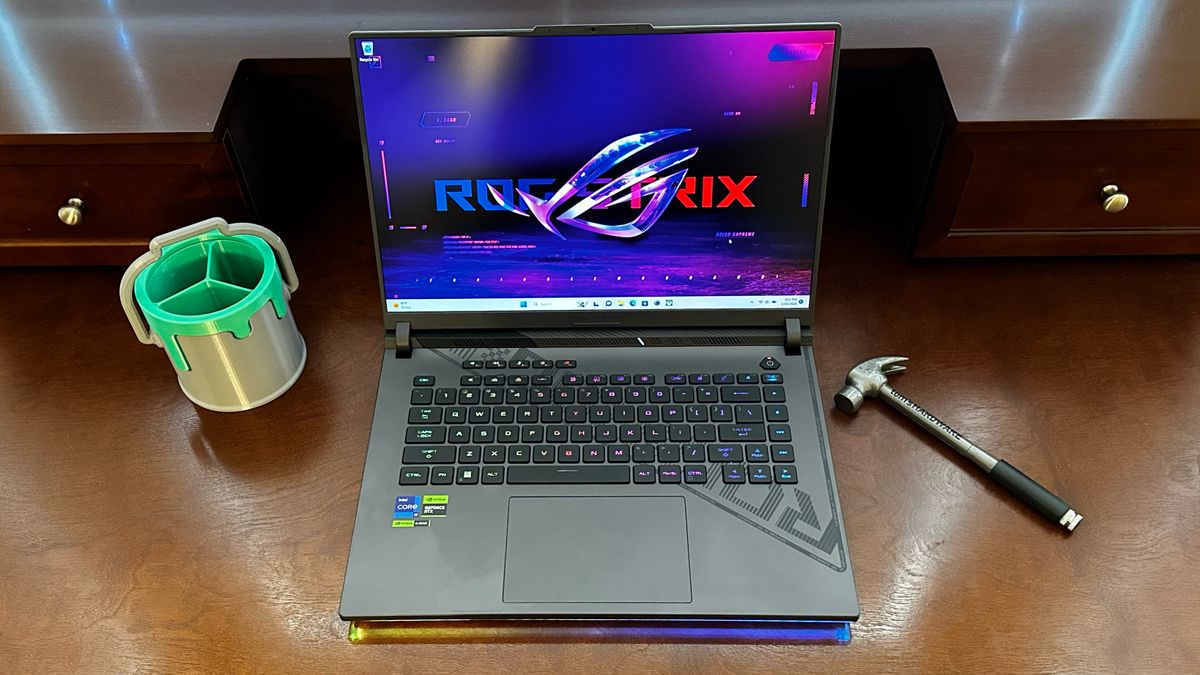
Among Asus’ esports-branded Strix laptop, the 16-inch ROG Strix G16 is the option for those who prefer something smaller. (The Strix G17 and Strix G18 sit above it in size). The ROG Strix G16 features a top-of-the-line Intel Core i9-13980HX Raptor Lake processor and Nvidia’s new GeForce RTX 4070. This marks the second laptop we’ve tested with Nvidia’s Ada Lovelace-based mainstream laptop GPU.
The ROG Strix G16 also represents the latest laptop transitioning from a 16:9 to 16:10 aspect ratio, with a 16-inch 1920 x 1200 (WUXGA) 165 Hz IPS display. This laptop has the goods to contend with some of the best gaming laptops on the market and includes 16GB of DDR5-4800 memory, a 1TB SSD, and a high-quality chassis that we’ve come to expect from Asus ROG.
With a price tag of $1,999 as configured, the ROG Strix G16 offers a lot of competent hardware, but how does it stack up to the competition?
Design of the Asus ROG Strix G16
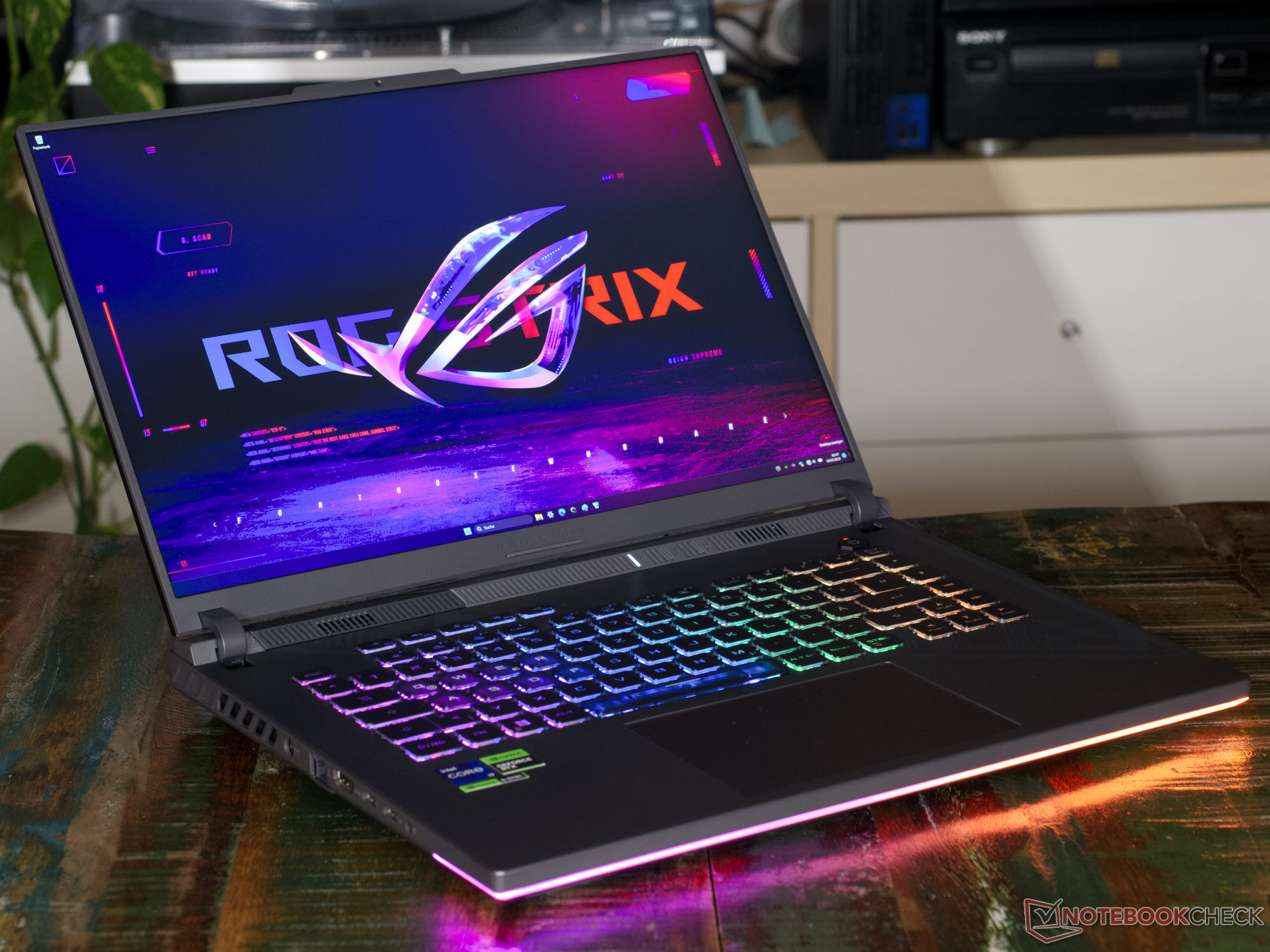
Asus has completely redesigned the chassis of the ROG Strix G16 for 2023, and I think it looks great. Asus uses aluminum for the lid and plastic for the rest of the chassis. Plastic doesn’t have to mean “cheap,” as the ROG Strix G16 has a high-quality fit and finish throughout, along with a satin-like sheen.
Asus keeps it relatively subtle with the RGB lighting; a thin “under-glow” LED strip runs along the laptop’s front edge and wraps around to the sides and per-key lighting for the keyboard. Each is configurable using Aura Sync in the Asus Armoury Crate software.
Image 1 of 6
(Image credit: Tom’s Hardware)
(Image credit: Tom’s Hardware)
(Image credit: Tom’s Hardware)
(Image credit: Tom’s Hardware)
(Image credit: Tom’s Hardware)
(Image credit: Tom’s Hardware)
Speaking of the keyboard, Asus added five programmable hotkeys at the top of the keyboard, labeled M1 through M5. By default, they handle functions like volume, microphone on/off, and a shortcut to the Armoury Crate. The ROG Strix G16 does not feature a number pad despite seemingly being large enough to accommodate it.
The right side of the ROG Strix G16 is home to just two USB 3.2 Gen2 Type-A ports. However, the left side features one Thunderbolt 4 port, one USB 3.2 Gen2 Type-C port, a 2.5 GbE port, HDMI 2.1 port, a 3.5mm audio jack, and a proprietary barrel-style power port. There are large vents along both sides of the laptop and rear to exhaust heat generated by the Core i9-13980HX and GeForce RTX 4070.
The laptop measures 13.94 x 10.39 x 0.89 inches (354 x 264 x 304 mm) and weighs 5.51 pounds (2.5 kg). That weight compares to 5.73 pounds for the Gigabyte Aorus 15X, 5.2 pounds for the HP Omen 16 and 4.4 pounds for the Razer Blade 15.
Asus ROG Strix G16 Specifications
Swipe to scroll horizontally
CPU
Intel Core i9-13980HX
Graphics
Nvidia GeForce RTX 4070 (8GB GDDR6, 2,225 MHz Boost Clock, 140 W Max Graphics Power)
Memory
16GB DDR4-4800 (2x 8GB)
Storage
1TB PCIe NVMe M.2 SSD
Display
16-inch, 1920×1200, 165 Hz, 16:10
Networking
Intel Wi-Fi 6E AX211, Bluetooth 5.2
Ports
1x Thunderbolt 4, 1x USB 3.2 Type-C Gen 2, 2x USB 3.2 Type-A Gen 2, 1x HDMI 2.1, 3.5mm headphone jack, 2.5 Gbps Ethernet
Camera
720p
Battery
90 Whr
Power Adapter
280 W
Operating System
Windows 11 Home
Dimensions (WxDxH)
13.94 x 10.39 x 0.89 inches (354 x 264 x 304 mm)
Weight
5.51 pounds (2.5 kg)
Price (as configured)
$1,999
Gaming Performance on the Asus ROG Strix G16
The Asus ROG Strix G16 is a powerful gaming laptop featuring an Intel Core i9-13980HX (8 performance cores, 16 efficiency cores, 5.6 GHz max turbo boost), an Nvidia GeForce RTX 4070 GPU, 16GB of DDR5-4800 (two SO-DIMMs) and a 1TB PCIe 4.0 NVMe SSD. The laptop has a somewhat awkward 1920 x 1200 resolution. It’s slightly more pixel-dense than a 1920 x 1080 display but well below the 2560 x 1440 panels we often see in the $2,000 price band for gaming laptops. As a result, all the competitors in this group feature 2560 x 1440 panels because that’s what you’ll typically find in gaming laptops with GeForce RTX 3070/4070-class GPUs these days.
While benchmarking is intriguing, I wanted to spend some time gaming with the ROG Strix G16, so I fired up Overwatch 2. I set all detail settings maxed out at 1920 x 1200 resolution. I maintained 165 fps, matching the 165Hz refresh rate of the display. The 165 fps figure was maintained in just about any scenario while gaming online, even when a lot of action took place on the screen.
In our Shadow of the Tomb Raider benchmark, the ROG Strix G16 quickly moved to the head of the class at 1080p with 116 fps, just barely beating out the Gigabyte Aorus 15X (Core i9-13900HX, GeForce RTX 4070). The Razer Blade 15 (Core i7-12800H, GeForce RTX 3070 Ti) and HP Omen 16 (Core i7-12700H, GeForce RTX 3070 Ti) tied for third place with 90 fps at 1080p.
Image 1 of 5
(Image credit: Tom’s Hardware)
(Image credit: Tom’s Hardware)
(Image credit: Tom’s Hardware)
(Image credit: Tom’s Hardware)
(Image credit: Tom’s Hardware)
Moving to Grand Theft Auto V, the Razer Blade 15 and HP Omen 15 took top honors, hitting 104 fps at 1080p. Unfortunately, the GeForce RTX 4070-equipped ROG Strix G16 and Aorus 15X had to take a backseat. And as you’ll notice, all the other laptops fell significantly in performance at 1440p, which is understandable compared to the ROG Strix’s minimal drop from 1080p to 1200p.
Red Dead Redemption 2 saw the ROG Strix eke out another win at 72 fps over the Aorus 15X at 1080p. However, the Razer Blade 14 and Omen 16 weren’t too far behind. Again, the ROG Strix G16 showed a minimal drop at 1200p, compared to the more precipitous drop for the 1440p laptops.
The ROG Strix G16 and Aorus 15X ran away from their lesser GeForce RTX 3070 Ti-equipped competition in Far Cry 6, with each nearly hitting 100 fps at 1080p. The Razer Blade 15 came in third place with 83 fps, while the Omen 16 pulled up the rear with 66 fps at 1080p.
Finally, our Borderlands 3 test showed an outsized victory for the Aorus 15X, with 151 fps at 1080p. With a stronger CPU and the same GPU, the ROG Strix G16 only mustered 100 fps. We ran this benchmark multiple times to verify our results, but that’s where things stand. The Omen 16 and Razer Blade 15 came in third and fourth place, with 79 and 76 fps, respectively, at 1080p.
In games with DLSS support, such as Shadow of the Tomb Raider, Red Dead Redemption 2 and Metro Exodus, quality mode upscaling can generally improve performance by 30–50 percent, sometimes more, and the resulting image quality often competes well against native rendering. DLSS 3 Frame Generation, where supported, can artificially boost the rate of frames sent to your display by 50–100 percent, but it causes additional latency and the actual feel of games with DLSS 3 doesn’t improve nearly as much as the higher FPS would indicate. It’s not a bad option to have, but personal preference becomes a real factor in what Frame Generation does to the overall experience.
To stress-test the ROG Strix G16, we ran Metro Exodus on its RTX preset at 1200p for 15 runs, which takes about half an hour. The system ran the game at an average of 79.35 fps, with all runs falling between 79.10 and 79.66 fps. The Core i9-13980HX’s performance cores ran at an average of 3.93 GHz, while the efficiency cores measured 3.3 GHz. The CPU package measured 76 degrees Celsius. Meanwhile, the RTX 4070 ran at an average 1,717 MHz and measured 65.4 C.
Productivity Performance on the Asus ROG Strix G16
Given its Core i9-13980HX processor, the Asus ROG Strix G16 packs some serious firepower for productivity tasks. This is Intel’s flagship Raptor Lake mobile processor, with 24 cores and 32 total threads. The processor performance cores have a maximum turbo clock of 5.6 GHz, while the efficiency cores top out at 4 GHz. Asus then pairs that processor with 16GB of DDR5-4800 memory using two 8GB SO-DIMMs.
Things started strong with Geekbench 5, with the ROG Strix G16 delivering a single-core score of 2,067 and a multi-core score of 18,227. These numbers just slightly outpaced the second-place Gigabyte Aorus 15X. With their less powerful Alder Lake-based processors, the Razer Blade 15 and HP Omen 16 trailed far behind, particularly in multi-core performance.
Image 1 of 3
(Image credit: Tom’s Hardware)
(Image credit: Tom’s Hardware)
(Image credit: Tom’s Hardware)
The ROG Strix G16 came in second place in the file transfer test, which involves copying 25GB of files across the SSD. We measured 1,238.04 MBps during the test, putting it roughly 30 percent slower than the first-place Aorus 15X (1,721.37 MBps). Asus uses a Micron 2400 SSD (MTFDKBA1T0QFM) in the laptop, which isn’t exactly the fastest PCIe 4.0 SSD on the market.
The ROG Strix G16 came in second place in our Handbrake test, which involves transcoding a 4K video to 1080p. It took the laptop five minutes and 5 seconds to complete the task compared to 3 minutes and 55 seconds for the Aorus 15X.
Display on the Asus ROG Strix G16
The Asus ROG Strix G16 features a 16-inch 165 Hz IPS panel with a 1920 x 1200 resolution. Laptops with thisunt of CPU and GPU power typically feature a 2560 x 1440 or 2560 x 1600 display. While our review sample came with a 1920 x 1200 panel, Asus does produce versions of this laptop with a 2560 x 1600 panel, which I think should be the standard here.
I like trying Overwatch 2 when looking at displays because of the bright and colorful palette. The greens and reds popped, and the calming blues of the Greek-focused Ilios map stood out on the ROG Strix G16’s punchy display.
(Image credit: Tom’s Hardware)
For a more grounded take on the display, I watched Throttle House’s magnificentreview of the Lotus Emira. The Emira, painted in a gorgeous British Racing Green, was faithfully represented, and the on-location visuals were stunning. I also caught thefinal trailer for The Super Mario Bros. Movie. Everything from the lava surrounding Bowser’s castle to the pinkish hues of the Sand Kingdom looked faithfully recreated.
In instrumented testing, the ROG Strix G16 wasn’t as vivid as its competitors — namely, the overachieving Razer Blade 15 — but it’s definitely in the running. We measured 75.9 percent of the DCI-P3 and 107 percent of the sRGB color gamuts. Its brightness of 279 nits was enough to score second place behind the HP Omen 16.
Keyboard and Touchpad on the Asus ROG Strix G16
Asus provides a full QWERTY keyboard layout and additional top hotkeys. The hotkeys are programmable and, by default, control volume, microphone, fan settings, and give access to Armoury Crate. You can change the function of the programmable keys using the Armoury Crate software. All of the keys have individual RGB backlighting.
(Image credit: Tom’s Hardware)
Asus says the keys offer 2 mm of travel, and I found it easy to type on. My fingers quickly felt at home on the keys, which had a soft finish that made them comfortable to use for hours at a time. My go-to test for keyboards is keyhero.com. As I’ve repeatedly mentioned, I’m not the fastest or most accurate typist, but I scored 67.81 words per minute with an accuracy of 97.1{b7c9e2c88beb1a84f22d94ab877a147f4adc4b3519717f3f957a0f34e16918d1}.
(Image credit: Tom’s Hardware)
Despite its large 16-inch frame, Asus didn’t find the space to fit in a number pad on the ROG Strix G16, which may be disappointing to some (some of my colleagues, however, are glad to go without it). I occasionally reached for the non-existent number pad, only to be stymied every time. Asus does offer versions of the laptop with a number pad integrated into the touchpad, but my review sample did not have this option.
Speaking of the touchpad, it is large (5.12 inches x 3.5 inches) and glass-covered. Although I prefer to use a mouse when using a gaming laptop, the touchpad proved spacious and allowed me to glide easily, be it in everyday apps in Windows 11 Home or when gaming (though for games you’re far better off using one of the best gaming mice).
Audio on the Asus ROG Strix G16
Asus uses a two-speaker system in the ROG Strix G16, which sounds fine. I decided to queue up “What You Won’t Do for Love,” performed by Bobby Caldwell. Although little bass was represented here, Caldwell’s soulful vocals soared, perfectly complemented by the horns and guitar licks.
Circling back to Throttle House’s review of the Lotus Emira, I instantly honed in on the sound of the 3.5-liter V6 engine. While the engine comes from a lowly Toyota Camry, Lotus massaged it and bolted on a supercharger to add over 100 more horsepower. As a result, I could hear the subtle supercharger whine in the background as the V6 revved to its 6,800 revolutions per minute redline. The crackling and burbling of the exhaust while easing off the throttle also came blaring through the speakers.
The audio while gaming wasn’t exactly the ROG Strix G16’s strong point; again, the lack of bass took a lot of the impact out of explosions in games like Grand Theft Auto V and Overwatch 2. However, I cranked the volume without distortion, which helped to drown out the internal fans.
The Dolby Atmos app can adjust audio profiles, including Dynamic, Game, Movie, Music and Voice. I didn’t notice much difference between the settings, so I just left it on Dynamic, which automatically adjusts based on the content being played.
Upgradeability of the Asus ROG Strix G16
I ventured inside the Asus ROG Strix G16 by first removing 11 screws. However, I wasn’t done yet. It takes some careful prying to remove the bottom panel, and I didn’t want to risk damaging the RGB strip that runs along the front of the chassis. So, I started prying near the ethernet port and was able to completely remove the panel.
(Image credit: Tom’s Hardware)
This gave me access to the internals, including the Micron 2400 PCIe 4.0 SSD situated on the right. A second, unused M.2 slot is on the opposite side of the chassis next to the Intel Wi-Fi 6E card. Located toward the center of the motherboard are the two SO-DIMM slots. Our unit came populated with two 8GB DDR5-4800 SO-DIMMs, but the machine is upgradeable to 32GB (2x 16GB). The battery also appears to be easily replaceable.
Battery Life on the Asus ROG Strix G16
Gaming laptops have earned a bad reputation regarding battery life, but the Asus ROG Strix G16 bucks that trend. Compared to the less powerful Razer Blade 14, the ROG Strix G16 lasted nearly four additional hours. The laptop also lasted at least three hours longer than the HP Omen 16 and the Gigabyte Aorus 15X.
(Image credit: Tom’s Hardware)
The performance is even more remarkable compared to the similarly equipped Aorus 15X with a larger 99 Whr battery. However, we must remember that the Aorus 15X drives a 240 Hz, 2560 x 1440 display.
Heat on the Asus ROG Strix G16
To test heat output on the Asus ROG Strix G16 while gaming, we ran our Metro Exodus stress test in a loop. This benchmark gets laptops plenty hot, giving us the perfect opportunity to measure heat levels.
We measured the center of the keyboard between the G and H keys, which reported 94 degrees Fahrenheit (34.4 degrees Celsius). That’s right in line with what we’d expect from a gaming laptop, and some get quite a bit warmer. The touchpad was a comparatively cool 78 F (25.5 C).
Image 1 of 2
(Image credit: Tom’s Hardware)
(Image credit: Tom’s Hardware)
The bottom of the laptop measured 109F (42.7 C). The hottest part of the laptop – the underside near the hinge/exhaust – measured 119 F (48.3 C).
The fans are clearly audible during gaming sessions, but the pitch is not objectionable and is easily overpowered by the speakers. If you wear headphones while gaming, the sound from the fans is a non-issue.
Webcam on the Asus ROG Strix G16
Although more gaming laptops are transitioning to 1080p webcams, Asus is, unfortunately, sticking to its 720p guns. There’s no guarantee that a higher resolution camera would translate to an immediate boost in image quality, but the fact that Asus didn’t even try on this laptop is disappointing.
As a result, we’re left with performance that is simply average in this class. Unlike the Gigabyte Aero 15X’s 1080p camera which impressed me with its overall quality and low-light performance, the ROG Strix G16’s camera looked as if it was coated in a thin layer of Vaseline. The fine detail in my mustache and beard stubble was lost in translation and low light caused a considerable increase in background noise.
Software and Warranty on the Asus ROG Strix G16
The Asus ROG Strix G16 comes with the standard bloat included in Windows 11 Home, like Spotify, Kindle, WhatsApp, and various trials of Microsoft Office apps. However, Asus includes its own apps, which are useful for customers.
The aforementioned Armoury Crate allows you to monitor system vitals (temperature, clock speeds, memory, storage, etc.), customize the five hotkeys, adjust the Aura Sync RGB lighting and more. MyAsus provides customer service and warranty information along with social media interactions with Asus. Aura Creator is a utility that allows you to create your own custom lighting schemes that can be synchronized between devices.
Other installed apps include Dolby Access, the Realtek Audio Console, and McAfee LiveSafe.
The ROG Strix G16 comes with a one-year warranty.
Asus ROG Strix G16 Configurations
The Asus ROG Strix G16 is available in multiple prebuilt configurations starting from $1,399. Our $1,999 review sample (G614JI-AS94 (opens in new tab)) features an Intel Core i9-13980HX processor, Nvidia GeForce RTX 4070 GPU, 16GB DDR4-4800 memory, a 1TB SSD, 1200p 165 Hz display and per-key RGB lighting.
All ROG Strix G16 configurations available from Asus come with a Core i9-13980HX processor but are available with GeForce RTX 4050 or RTX 4060 GPUs. Upgraded display options include a 2560 x 1600 display with a 240 Hz refresh rate, and up to a 2TB SSD, taking the price to $2,199.
Bottom Line
Overall, the Asus ROG Strix G16 is a fine entry into the ~$2,000 gaming laptop segment. Its closest competition is the Gigabyte Aorus 15X, which is just $100 more. The Aorus 15X gives you a higher resolution display at 2560 x 1600, but the ROG Strix G16 offers an additional three hours of battery life.
Regarding performance, the Asus ROG Strix G16 is an impressive gaming laptop that continues to show the strength of Intel’s new Raptor Lake mobile processor and Nvidia’s fresh GeForce RTX 40 Series GPUs. The laptop has many other strengths, including its solid build quality, RGB lighting that doesn’t go overboard, and comfortable keyboard.
The ROG Strix G16 didn’t ace our file transfer test, but it got second place and performed well in the other productivity tasks. The 1920 x 1200 resolution is a bit of a bummer given the kind of hardware that this laptop is packing, but customers can upgrade to 2560 x 1600 for some extra cheddar. Asus also skimped out on the speakers and webcam, with the latter being a big miss in this work-from-home climate.
Despite these flaws, the Asus ROG Strix G16 deserves to be on your shopping shortlist as a powerful, 16-inch gaming PC in a premium design.
Average of class Gaming (0.02 – 0.23, n=171, last 2 years)
0.05665 ms * ∼100{b7c9e2c88beb1a84f22d94ab877a147f4adc4b3519717f3f957a0f34e16918d1}-183{b7c9e2c88beb1a84f22d94ab877a147f4adc4b3519717f3f957a0f34e16918d1}
Asus ROG Zephyrus M16 GU603Z Micron 3400 1TB MTFDKBA1T0TFH
Average Samsung PM9A1 MZVL22T0HBLB (0.018 – 0.078, n=23)
Razer Blade 16 Early 2023 SSSTC CA6-8D1024
Lenovo Legion Pro 7 16IRX8H Samsung PM9A1 MZVL21T0HCLR
Asus ROG Zephyrus M16 GU604VY-NM042X Samsung PM9A1 MZVL22T0HBLB
Razer Blade 16 Early 2023 SSSTC CA6-8D1024
Average of class Gaming (0.012 – 0.425, n=176, last 2 years)
0.05613 ms * ∼68{b7c9e2c88beb1a84f22d94ab877a147f4adc4b3519717f3f957a0f34e16918d1}-181{b7c9e2c88beb1a84f22d94ab877a147f4adc4b3519717f3f957a0f34e16918d1}
The Asus ROG Stirx G16 is able to extract a lot of performance from its strong hardware. An Intel Core i9 and a Nvidia GeForce RTX 4080 ensure high FPS on a 240 Hz panel in many games. But things get really interesting when it comes to the volume.
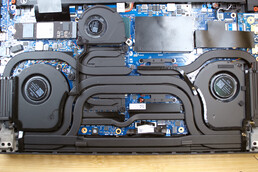
The Nvidia GeForce RTX 4080 is powered by up to 170 watts in the Asus ROG Strix G16. In Turbo mode, the gaming notebook achieves a level of performance that brings it close to devices equipped with the more powerful RTX 4090. While the laptop can be annoyingly loud at 52 dB(A), the ROG Strix G16 can also do things differently: thanks to a massive cooling system consisting of three fans and liquid metal, the laptop is also able to run without much noise. For our review, we took the opportunity to analyze the gaming laptop’s other operating modes and came to an interesting conclusion: gaming with ray tracing is possible with current titles as long as you are willing to forego a few FPS.
Frame rates remain above 60 frames per second in many games, even in UHD resolution at ultra settings. F1 22 is one such example: at just under 40 dB(A) in Silent mode, the ROG Strix G16 manages 72 FPS in the racing game with activated ray tracing. So the Asus ROG Strix G16 can certainly be used for gaming without noise pollution or ANC headphones. Unfortunately, one of the laptop’s problems also becomes apparent in this operating mode. Instead of fan noise, you then hear the laptop’s power supply struggling. Coil whine comes to the fore as soon as the laptop makes use of the boost performance of the Intel Core i9-13980HX and Nvidia GeForce RTX 4080.
We also found a few problems with the chassis in our review of the Asus ROG Strix G16. Nevertheless, the laptop ultimately manages to perform well overall.
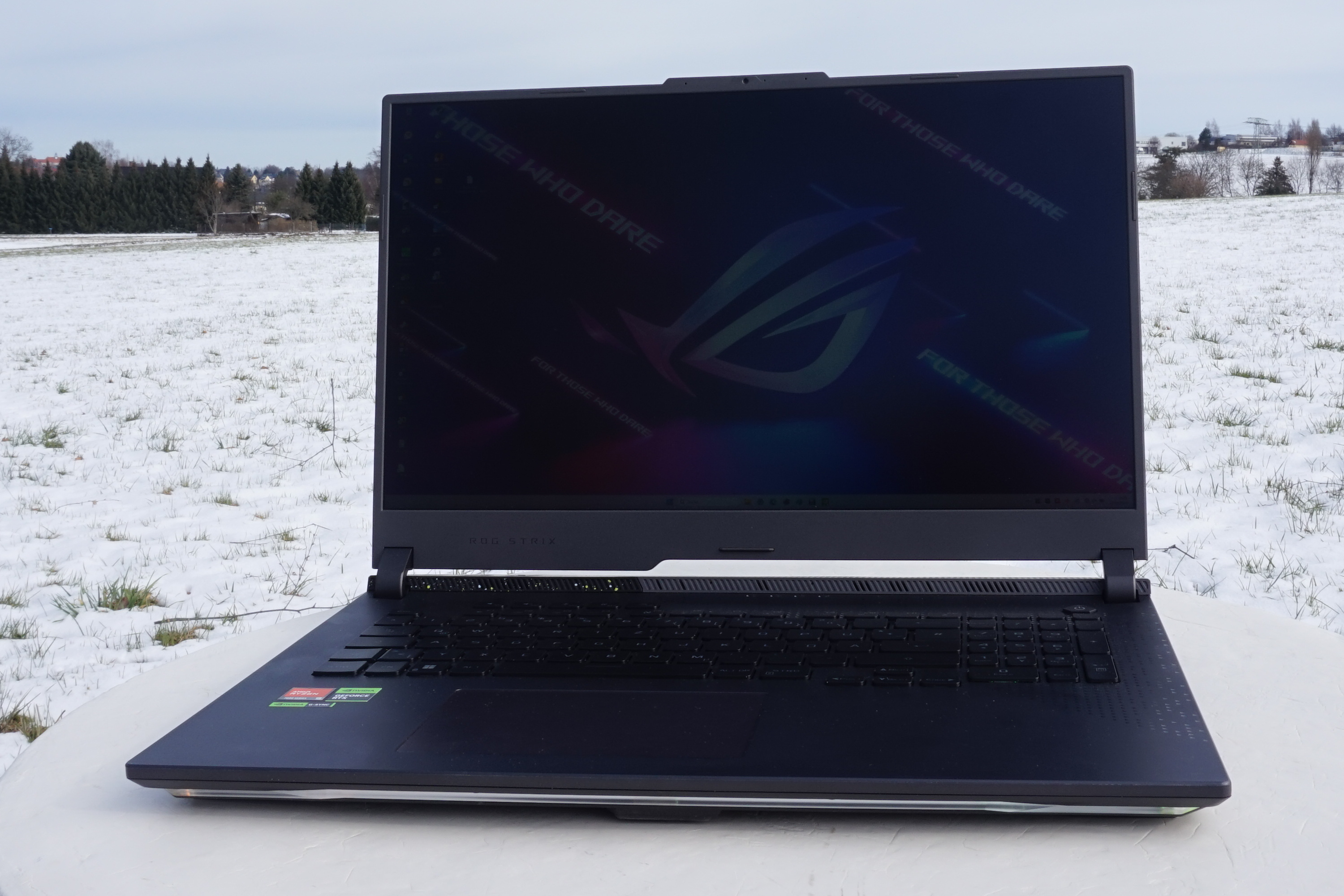
ROG Strix G16
ROG Strix G16
ROG Strix G16 – cooling system
More Articles for this Device
Asus ROG Strix G16 G614JZ (ROG Strix G16 Series)
Related Articles
From an early age I liked to thoroughly examine all kinds of devices to see how they worked, which also involved taking my own devices apart and therefore not always to the delight of my parents. Nevertheless, with my grandfather’s support, I became a computer and electronics tinkerer. With the family PC and Lego Mindstorms, my interested in software and programming took off, and I am currently an engineering program student. I enjoy building all sorts of gadgets with Arduino and 3D printers, and I still like to put electronic devices through their paces. By joining the Notebookcheck editorial team, I have been able to turn my hobby into a profession.
Translator: Jacob Fisher – Translator – 175 articles published on Notebookcheck since 2022
Growing up in regional Australia, I first became acquainted with computers in my early teens after a broken leg from a football (soccer) match temporarily condemned me to a predominately indoor lifestyle. Soon afterwards I was building my own systems. Now I live in Germany, having moved here in 2014, where I study philosophy and anthropology. I am particularly fascinated by how computer technology has fundamentally and dramatically reshaped human culture, and how it continues to do so.
Asus Zephyrus Duo 16 GX650PY-NM006W SK hynix PC801 HFS002TEJ9X101N
Razer Blade 18 RTX 4070 SSSTC CA6-8D1024
Asus ROG Strix Scar 17 SE G733CX-LL014W Samsung PM9A1 MZVL22T0HBLB
Asus ROG Strix G18 G814JI Micron 2400 MTFDKBA1T0QFM
Average of class Gaming (0.012 – 0.425, n=176, last 2 years)
0.05664 ms * ∼47{b7c9e2c88beb1a84f22d94ab877a147f4adc4b3519717f3f957a0f34e16918d1}-198{b7c9e2c88beb1a84f22d94ab877a147f4adc4b3519717f3f957a0f34e16918d1}
Ideal Get is at present presenting the 2022 ASUS ROG Zephyrus M16 i9/16GB/1TB/RTX 3070 Ti Gaming Notebook for $1,599.99 delivered. Usually likely for $2,150, this stable $550 discount marks a return to the all-time reduced rate we have witnessed for this laptop design. The ROG Zephyrus will occur functioning Microsoft’s flagship functioning procedure, Windows 11, and will be powered by its Intel i9-12900H 14-core processor and RTX 3070 Ti graphics. The 16-inch 2560×1600 165Hz IPS-level display is PANTONE-qualified with 100{b7c9e2c88beb1a84f22d94ab877a147f4adc4b3519717f3f957a0f34e16918d1} coverage of the sRGB shade gamut for imaginative do the job with “incredible coloration precision and clarity.” Wi-Fi 6E, Dolby Atmos guidance, a solitary USB-C 3.2 Gen 2 port, two USB-A 3.2 Gen 2 ports, a Thunderbolt 4 port, and HDMI output spherical out this gaming machine. Head underneath for more.
On a tighter funds? Check out out the Acer Nitro 5 i7/8GB/512GB/RTX 3050 Ti Gaming Notebook for $834 instead. Right here you are going to be working with the 11th gen Intel i7 processor with RTX 3050 Ti graphics, which is a stage down from the 3070 Ti existing with the ASUS alternative above. The monitor is marginally smaller at 15.6-inches and ways down to a 1080p 144Hz resolution and refresh level. The complete sum of RAM obtainable right here is also slice in 50 {b7c9e2c88beb1a84f22d94ab877a147f4adc4b3519717f3f957a0f34e16918d1} to 8GB though that is however plenty for most modern-day online games to run nicely. Wi-Fi 6 help is also present below.
By now have a gaming desktop and want to enhance your present GPU? We’re now monitoring the GIGABYTE Gaming OC RX 6750 XT 12GB GPU marked down to $380, the new all-time lower price tag. Leveraging AMD’s very last-generation know-how, the RX 6750 XT is even now a solid graphics card for your gaming rig. Designed to tun titles at equally 1080p and 1440p at significant or extremely settings in quite a few online games, it can even take care of higher refresh charge gaming too. In addition, there’s HDMI 2.1 and DisplayPort 1.4a so you can run 4K144 and 8K60 monitors about a solitary cable.
ASUS ROG Zephyrus M16 i9/16GB/1TB/RTX 3070 Ti Gaming Laptop functions:
Dive headfirst into one of the best gaming notebook activities on Windows 11. The ROG Zephyrus M16 packs a 14-core Intel Main i9-12900H CPU and NVIDIA GeForce RTX 3070 Ti GPU into a tremendous skinny gaming laptop computer. Delight in a quickly 165Hz refresh charge, 16GB of RAM, and 1TB of PCIe 4. SSD storage all wrapped in a light 4.41 lbs chassis. The foreseeable future is slim and mild.

/cdn.vox-cdn.com/uploads/chorus_asset/file/24547615/236586_Asus_ROG_Flow_Z13_Acronym_AKrales_0158.jpg "Asus ROG Flow Z13 ACRONYM review: it’s a lot")